
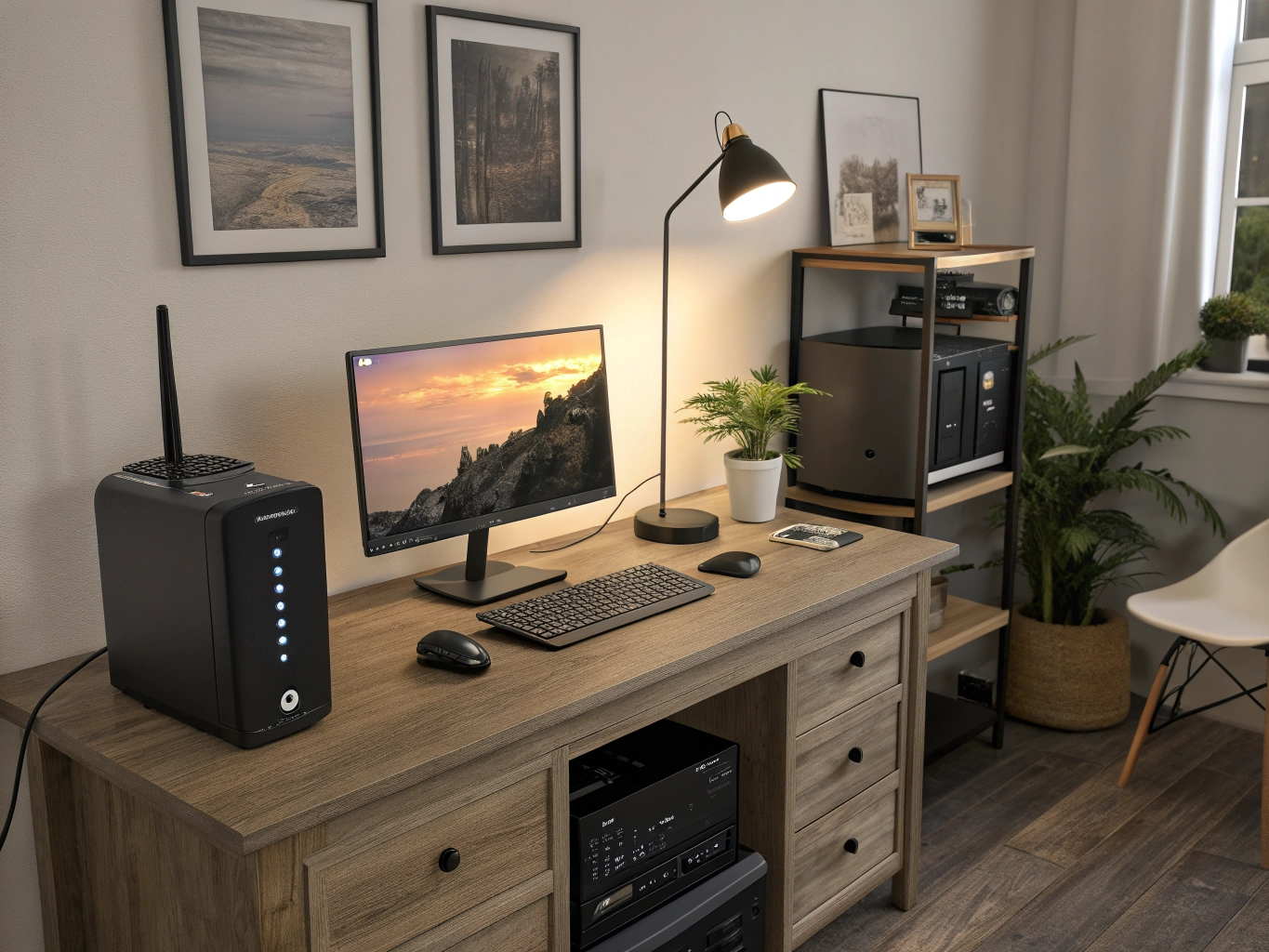
Power cuts, voltage fluctuations, and unexpected electrical interruptions can cause problems for computers, networking equipment, home offices, gaming PCs, and other electronic devices. A UPS (Uninterruptible Power Supply) can provide backup power for a limited period and, depending on the model, help protect connected equipment from certain power-related issues.
A UPS is especially useful for desktop computers, workstations, Wi-Fi routers, modems, CCTV systems, gaming setups, NAS devices, and other electronics that should not suddenly switch off.
Choosing the right UPS depends on several factors, including the connected load, VA/Watt capacity, backup requirements, battery type, output waveform, number of sockets, and the type of equipment you want to protect.
What Is a UPS?
UPS stands for Uninterruptible Power Supply.
A UPS is a device that provides temporary electrical power to connected equipment when the main power supply is interrupted.
Unlike a conventional power strip, a UPS contains a battery and power electronics that can supply electricity to connected devices when utility power becomes unavailable.
Depending on the UPS design, it may also provide functions such as:
- Battery backup
- Automatic voltage regulation
- Surge protection
- Overload protection
- Short-circuit protection
- Battery protection
- USB connectivity
- Software-based monitoring
The exact features vary between models.
Why Do You Need a UPS?
A UPS can be useful for several reasons.
1. Prevents Sudden Shutdowns
A desktop computer can shut down immediately during a power cut. A UPS provides temporary backup power, giving you time to save work and shut down the computer properly.
2. Protects Against Some Power Problems
Certain UPS models provide protection against issues such as voltage fluctuations, surges, and other power disturbances.
3. Keeps Networking Equipment Running
A suitable UPS can keep devices such as routers, modems, and networking equipment powered during short interruptions.
4. Useful for Gaming PCs
Gaming computers can draw considerable power, so selecting a UPS with sufficient capacity is important.
5. Helps Home Offices
A UPS can keep computers and networking equipment operating during brief power interruptions.
10 Best UPS Products
1. Best UPS for Desktop Computer
Key Features:
- Suitable for desktop computers
- Battery backup
- Surge protection
- Compact design
- Automatic voltage regulation on supported models
- Multiple output sockets
Why Consider This UPS?
Desktop computers can lose unsaved work if power suddenly fails.
A UPS can provide enough temporary backup time to save files and shut down the system safely.
Before purchasing, check your computer’s power consumption and the UPS’s rated capacity.
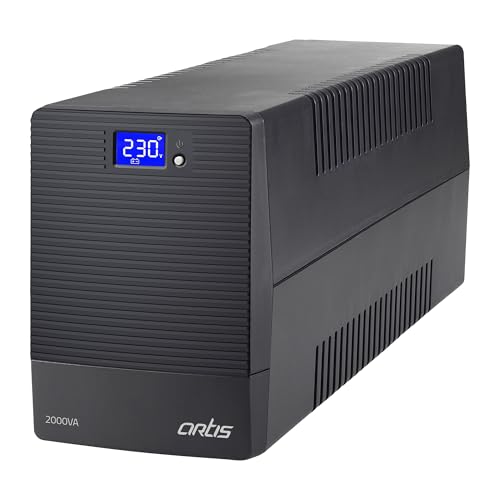
- 2000VA/ 1200W Desktop PC UPS. Generator Compatible
- The LCD screen displays essential information such as the Load Level, Battery Capacity, AVR Activation, Overload & Low B…
- Heavy Duty 12V 9AHX2 batteries, 4 Output Sockets connect up to 4 devices

- No more interruptions during work or online meetings — Keeps your desktop PC, WiFi router and connected devices running …
- Built for professionals, multitaskers & connected homes — Ideal for work-from-home setups, productivity desks and networ…
- 1100VA / 660W reliable backup performance — Supports PCs, routers, monitors and essential electronics during outages
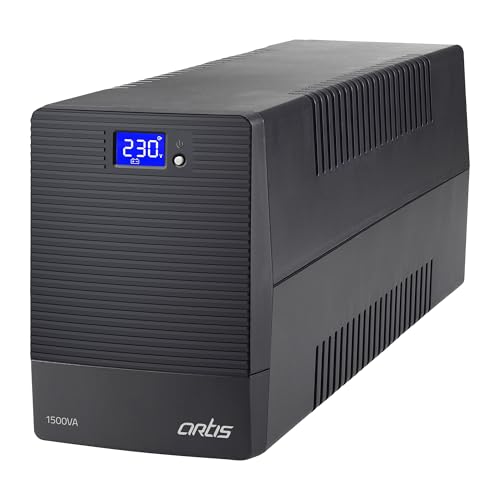
- 1500VA LCD/ 900W Desktop PC UPS. Generator Compatible.
- The LCD screen displays essential information such as the Load Level, Battery Capacity, AVR Activation, Overload & Low B…
- Wide input Range: 140-300V. With Cold Start Function & AVR which regulates voltage automatically.
2. Best UPS for Gaming PC
Key Features:
- High power capacity
- Battery backup
- Suitable for gaming PCs
- Multiple sockets
- Surge protection
- Fast transfer characteristics depending on model
Why Choose a UPS for Gaming?
Gaming PCs can have higher power requirements than basic office computers, especially when equipped with powerful graphics cards.
When selecting a gaming UPS, consider:
- PC power consumption
- Monitor power consumption
- PSU capacity
- UPS VA rating
- UPS Watt rating
- Desired backup time
Avoid selecting a UPS based only on the computer’s PSU wattage. The actual load should be considered.
- 2000VA/ 1200W Desktop PC UPS. Generator Compatible
- The LCD screen displays essential information such as the Load Level, Battery Capacity, AVR Activation, Overload & Low B…
- Heavy Duty 12V 9AHX2 batteries, 4 Output Sockets connect up to 4 devices

- 1000VA/600W Desktop PC UPS. Generator Compatible. Wide input Range: 140-300V. With Cold Start Function & AVR which regul…
- Heavy Duty 2 x 7AH batteries, 3 Output Sockets, connect upto 3 devices. With a maximum backup of 60 minutes* depending o…
- 1000VA capacity enables printer support (non Laser). Auto Restart and Cold Start capability helps start PC directly with…
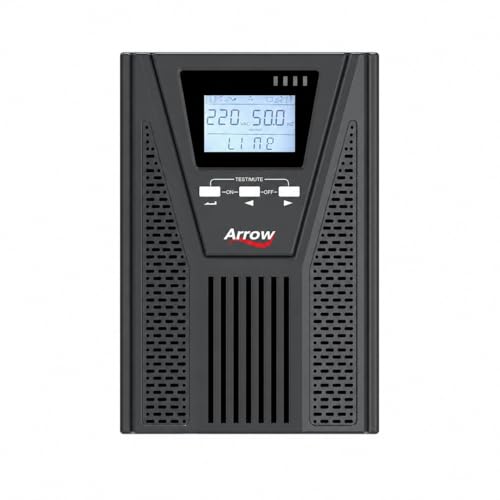
- 1000VA / 900W Output Capacity
- 36VDC with 3 Batteries (7 Ah) Support
- Reliable Power Backup for Desktop PCs, CCTV Cameras, WiFi Routers, Modems, Networking Devices, POS Machines & Office Equ…
3. Best UPS for Home Office
Key Features:
- Compact design
- Battery backup
- Multiple sockets
- USB connectivity on supported models
- Voltage regulation on supported models
Why Use a UPS in a Home Office?
A home-office setup may include:
- Desktop computer
- Monitor
- Router
- Modem
- Printer
- External storage
A UPS can help keep essential equipment running during short power interruptions and provide time for a safe shutdown.
- No more interruptions during work or online meetings — Keeps your desktop PC, WiFi router and connected devices running …
- Built for professionals, multitaskers & connected homes — Ideal for work-from-home setups, productivity desks and networ…
- 1100VA / 660W reliable backup performance — Supports PCs, routers, monitors and essential electronics during outages
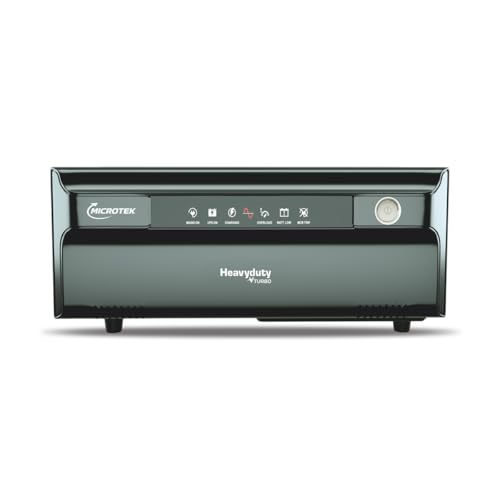
- PURE SINE WAVE TECHNOLOGY – Delivers clean, stable, and noiseless power, making it ideal for sensitive electronics such …
- HIGH POWER OUTPUT (1150VA/925W) – Efficiently supports multiple household and office essentials including fans, lights, …
- WIDE INPUT VOLTAGE RANGE – Operates reliably in fluctuating voltage conditions with Inverter Mode: 80V–290V and UPS Mode…

- Micro Controller Based Intelligent Control Design.
- LED Display Indications (Status & Fault)
- CCCV Technology with Auto Trickle Mode
4. Best UPS for Wi-Fi Router
Key Features:
- Compact size
- Low-power backup
- DC or AC output depending on model
- Suitable for networking equipment
- Portable design
Why Choose a UPS for a Router?
A power cut can disconnect your internet even if the internet service itself is working.
A suitable mini UPS or router UPS can provide backup power to compatible routers and networking devices.
Before purchasing, check:
- Router voltage
- Current requirement
- Connector size
- Polarity
- Required backup duration
Never connect a device to a power source unless its electrical specifications are compatible.

- Smart Power-Cut Solution : Power Plus provides battery backup for your router and other devices, keeping your Wi-Fi and …
- Wide compatibility : The Portronics PowerPlus provides backup power to devices in your home such as Wi-Fi routers, set-t…
- Quick Installation: Forget complicated setups, the Portronics PowerPlus is ready to go in minutes. Simply unpack, connec…
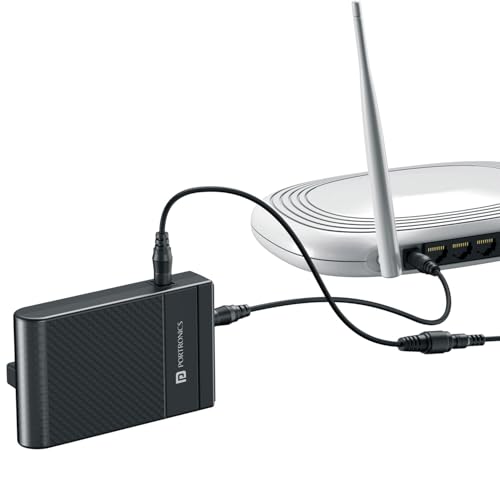
- Uninterrupted Internet During Power Cuts – Keep your 12V DC Wi-Fi routers powered even when electricity goes off, ensuri…
- Quick & Easy Plug-and-Play Installation – With its simple design, you can set up the Power Plus II in just a few minutes…
- Specially Designed for 12V DC Devices – Engineered to deliver safe and efficient power supply for 12V DC routers and oth…
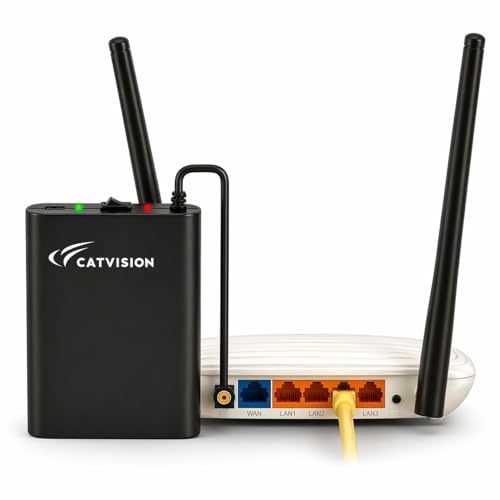
- Catvision Mini UPS: Uninterrupted Power for Your WiFi Router!: Stay connected, always! Get up to 4 hours of power backup…
- Smart UPS Technology: Catvision Mini UPS Basic features an intelligent battery management system that self-charges when …
- Seamless Streaming & Long-Lasting Power Backup: Zero lag and interference ensure a comfortable streaming experience. Get…
5. Best UPS for CCTV
Key Features:
- Battery backup
- Suitable capacity
- Multiple outputs depending on model
- Protection features
- Backup for security equipment
Why Use a UPS for CCTV?
Security systems can become unavailable during power cuts.
A UPS can provide temporary power to compatible equipment such as:
- CCTV cameras
- DVR
- NVR
- Network switches
- Monitors
The required UPS capacity depends on the total power consumption of all connected devices.
- 2000VA/ 1200W Desktop PC UPS. Generator Compatible
- The LCD screen displays essential information such as the Load Level, Battery Capacity, AVR Activation, Overload & Low B…
- Heavy Duty 12V 9AHX2 batteries, 4 Output Sockets connect up to 4 devices
- 1000VA / 900W Output Capacity
- 36VDC with 3 Batteries (7 Ah) Support
- Reliable Power Backup for Desktop PCs, CCTV Cameras, WiFi Routers, Modems, Networking Devices, POS Machines & Office Equ…

- ⚡ Reliable 1000VA / 600W Backup Power : Offers reliable backup power for Wi-Fi routers, modems, PCs, and small office/ho…
- 🔄 Automatic Voltage Regulation (AVR) : Protects devices from voltage fluctuations, surges, and spikes to ensure safe ope…
- ⚡ Super Fast Charging : Recovers up to 90% battery capacity within 4-6 hours for quick readiness.
6. Best UPS for Router and Modem
Key Features:
- Compact design
- Battery backup
- Router compatibility
- Multiple DC outputs on supported models
- LED indicators
Router UPS vs Traditional UPS
A dedicated router UPS is usually designed for low-power networking devices.
A conventional AC UPS can also power a router through its adapter, but a dedicated DC UPS may be more compact and efficient for this particular use.
Always verify the output voltage and current before connecting a router or modem.
- Smart Power-Cut Solution : Power Plus provides battery backup for your router and other devices, keeping your Wi-Fi and …
- Wide compatibility : The Portronics PowerPlus provides backup power to devices in your home such as Wi-Fi routers, set-t…
- Quick Installation: Forget complicated setups, the Portronics PowerPlus is ready to go in minutes. Simply unpack, connec…
- Uninterrupted Internet During Power Cuts – Keep your 12V DC Wi-Fi routers powered even when electricity goes off, ensuri…
- Quick & Easy Plug-and-Play Installation – With its simple design, you can set up the Power Plus II in just a few minutes…
- Specially Designed for 12V DC Devices – Engineered to deliver safe and efficient power supply for 12V DC routers and oth…
- Catvision Mini UPS: Uninterrupted Power for Your WiFi Router!: Stay connected, always! Get up to 4 hours of power backup…
- Smart UPS Technology: Catvision Mini UPS Basic features an intelligent battery management system that self-charges when …
- Seamless Streaming & Long-Lasting Power Backup: Zero lag and interference ensure a comfortable streaming experience. Get…
7. Best UPS for Office Computers
Key Features:
- Suitable for office PCs
- Battery backup
- Multiple sockets
- Overload protection
- Voltage regulation on supported models
Why Use a UPS in an Office?
A UPS can be useful in offices where computers and networking equipment need protection against sudden power interruptions.
For multiple computers, calculate the total load before selecting the UPS capacity.
Large installations may require dedicated UPS systems rather than small consumer models.
- 2000VA/ 1200W Desktop PC UPS. Generator Compatible
- The LCD screen displays essential information such as the Load Level, Battery Capacity, AVR Activation, Overload & Low B…
- Heavy Duty 12V 9AHX2 batteries, 4 Output Sockets connect up to 4 devices
- 1500VA LCD/ 900W Desktop PC UPS. Generator Compatible.
- The LCD screen displays essential information such as the Load Level, Battery Capacity, AVR Activation, Overload & Low B…
- Wide input Range: 140-300V. With Cold Start Function & AVR which regulates voltage automatically.

- 1500VA/900W Desktop PC UPS. Generator Compatible
- Wide input Range: 140-300V. With Cold Start Function & AVR which regulates voltage automatically.
- Heavy Duty 12V 9AHX2 batteries, 4 Output Sockets connect up to 4 devices
8. Best UPS for NAS and Storage Devices
Key Features:
- Stable backup power
- USB communication on supported models
- Suitable capacity
- Automatic shutdown support on compatible systems
Why Use a UPS for NAS?
Network-attached storage devices can be vulnerable to sudden power loss.
A compatible UPS can provide temporary power and, with supported NAS software and USB communication, may allow the NAS to perform an automatic shutdown when the battery becomes low.
Check compatibility between the UPS and NAS manufacturer before purchasing.
- 1500VA LCD/ 900W Desktop PC UPS. Generator Compatible.
- The LCD screen displays essential information such as the Load Level, Battery Capacity, AVR Activation, Overload & Low B…
- Wide input Range: 140-300V. With Cold Start Function & AVR which regulates voltage automatically.
- 1500VA/900W Desktop PC UPS. Generator Compatible
- Wide input Range: 140-300V. With Cold Start Function & AVR which regulates voltage automatically.
- Heavy Duty 12V 9AHX2 batteries, 4 Output Sockets connect up to 4 devices
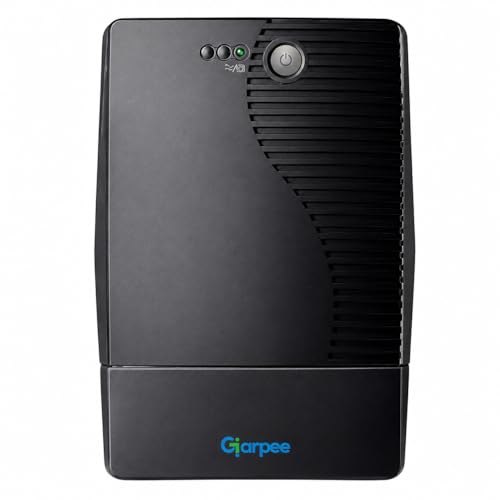
- Reliable 1000VA/600W Battery Backup Provides uninterrupted power to PCs routers modems and DVR systems during outages — …
- Automatic Voltage Regulation (AVR) Protects sensitive electronics from voltage fluctuations spikes and surges with inbui…
- Microprocessor Controlled Operation Ensures efficient performance with smart battery charging overload protection and fa…
9. Best UPS for PC and Monitor
Key Features:
- Computer and monitor support
- Battery backup
- Multiple output sockets
- Surge protection
- Compact design
Why Connect Both PC and Monitor?
Connecting both the computer and monitor to the battery-backed outlets can make a power interruption easier to manage.
During a power cut, you can continue seeing your work long enough to save files and shut down the computer.
Remember that adding more devices increases the total UPS load and can reduce backup time.
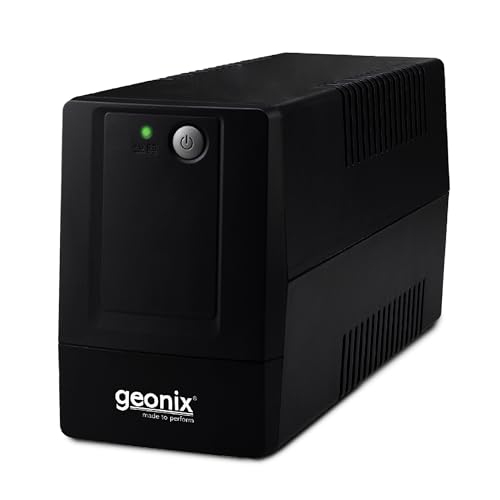
- Overload Protection
- Super Fast Charger
- DVR Support

- 1000 LCD Desktop PC UPS. Generator Compatible. Wide input Range: 140-300V. With Cold Start Function & AVR which regulate…
- 1000 LCD UPS is designed to work with personal computer and its peripherals
- Heavy Duty 12V 7AH x 2 battery
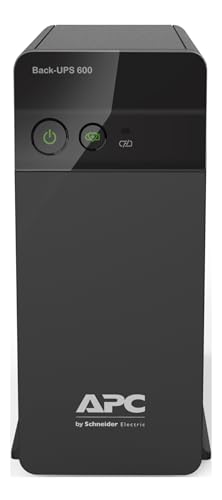
- No more WiFi drop during power cuts — Keeps your WiFi router, desktop PC and CCTV running during sudden outages so your …
- Built for modern Indian homes — Ideal for work-from-home professionals, students and families who depend on stable inter…
- 600VA / 360W reliable backup performance — Supports routers, desktop PCs and essential electronics during everyday power…
10. Best High-Capacity UPS
Key Features:
- Higher VA capacity
- Higher Watt capacity
- Extended backup options
- Multiple outputs
- Advanced protection features
Why Choose a High-Capacity UPS?
High-capacity UPS systems may be suitable for heavier loads such as:
- Workstations
- Servers
- Networking equipment
- Multiple computers
- Professional equipment
For high-power applications, carefully calculate the actual load and consult the manufacturer’s specifications.
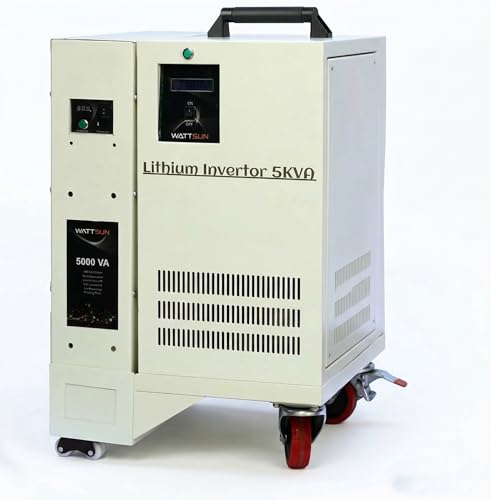
- Reliable Power You Can Trust : Since 2020, Wattsun has been delivering dependable energy solutions with advanced lithium…
- Installation at INR 6500
- High Performance Output (5000VA / 4000Watt) : Delivers stable and uninterrupted power for essential appliances, ensuring…
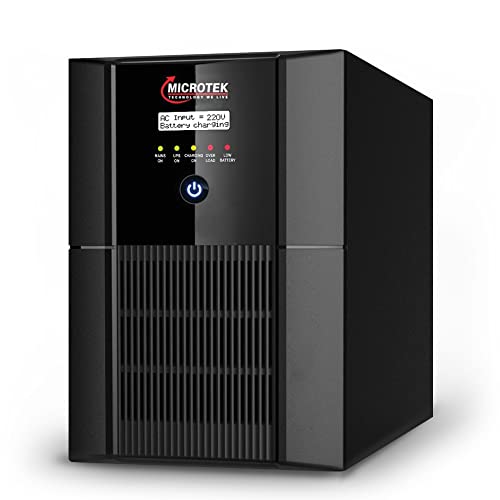
- DSP/High-end micro controller based PWM technology using MOSFET
- ACEC (Analog Compare Error Correction) technology based PWM for the generation of Pure Sine wave:
- Boost Based PWM Controlled Intelligent Multistage Battery Management Charging Technology.

- 1280 Watt Hour Lithium Ion Battery with Battery Management System (BMS)
- Automatic Low Battery & High Battery Cut-out
- Dual Display (LCD and LED)
Understanding VA and Watts
Two important UPS specifications are VA (Volt-Amps) and Watts.
What Is VA?
VA represents the apparent power capacity of the UPS.
What Is Watt Capacity?
Watts represent the real power that the UPS can supply to the connected equipment.
A UPS should not be selected based only on VA.
Always check both the VA rating and the maximum Watt output.
How to Calculate UPS Capacity
Start by estimating the power consumption of every device you want to connect.
For example, a setup could include:
- Desktop PC
- Monitor
- Router
- Speakers
Add their approximate power consumption to estimate the total load.
Then choose a UPS that has sufficient capacity for that load, with reasonable headroom.
For accurate calculations, use the actual power consumption measured by a suitable power meter where practical.
What Is UPS Backup Time?
UPS backup time refers to how long the UPS can continue powering connected equipment after the main electricity supply fails.
Backup time depends on:
- Battery capacity
- Connected load
- Battery condition
- UPS efficiency
- Battery age
- Temperature
- UPS design
A UPS generally provides longer backup at lower loads.
What Is Automatic Voltage Regulation?
Automatic Voltage Regulation, or AVR, is a feature found on many line-interactive UPS systems.
AVR can correct certain levels of high or low input voltage without switching entirely to battery power.
This can help reduce unnecessary battery usage during some voltage fluctuations.
The exact correction range depends on the UPS model.
Types of UPS
There are several common UPS architectures.
Standby UPS
A standby UPS normally supplies utility power to connected equipment and switches to battery power when an interruption is detected.
It is commonly used for basic computer and home applications.
Line-Interactive UPS
Line-interactive UPS systems typically include voltage regulation and can be useful for computers, home offices, networking equipment, and other electronics.
Online UPS
Online UPS systems continuously provide power through a double-conversion process.
They are generally used where a higher level of power conditioning and continuity is required.
Online UPS systems are typically more expensive and may be more appropriate for critical equipment.
Pure Sine Wave UPS
Some UPS systems provide a pure sine wave output.
This can be particularly relevant for certain sensitive electronics and equipment with power supplies designed around sine-wave input.
A pure sine wave UPS can be useful for:
- Certain gaming PCs
- Workstations
- Servers
- Networking equipment
- Equipment with specific power-supply requirements
Check the manufacturer’s recommendations for your equipment before buying.
Simulated Sine Wave UPS
Some UPS systems provide a stepped or simulated sine-wave output.
These models can be suitable for many conventional loads, but compatibility can vary depending on the connected equipment.
If your PC uses an active PFC power supply, check the PSU manufacturer’s recommendations and UPS compatibility before purchasing.
UPS Battery Types
Consumer UPS systems commonly use rechargeable batteries such as sealed lead-acid batteries.
Some newer products may use lithium-based battery technology.
Lead-Acid Batteries
Advantages can include:
- Established technology
- Widely available
- Generally lower initial cost
Lithium Batteries
Depending on the product, lithium-based UPS systems can offer:
- Lower weight
- Compact design
- Potentially longer service life
Always follow the manufacturer’s battery replacement and maintenance instructions.
UPS for Home Use
A home UPS can be useful for:
- Desktop computers
- Wi-Fi routers
- Modems
- CCTV
- Gaming PCs
- Home networking
- NAS systems
Choose capacity based on the equipment you actually need to keep powered.
UPS for Gaming PC
Gaming PCs can have high and rapidly changing power requirements.
When buying a UPS for gaming:
- Check the PC’s actual power requirements.
- Check the PSU specifications.
- Consider the monitor’s power consumption.
- Check UPS Watt capacity.
- Check UPS VA capacity.
- Check waveform compatibility.
- Consider desired backup time.
A larger VA number alone does not guarantee that a UPS is suitable for a high-performance gaming computer.
UPS for Work From Home
For remote workers, a UPS can help keep essential equipment operating during short interruptions.
A work-from-home UPS setup may include:
- Laptop or desktop
- Monitor
- Router
- Modem
- External storage
If you use a laptop, its internal battery already provides some backup power, so you may mainly need UPS protection for networking equipment and accessories.
UPS for Wi-Fi During Power Cuts
If your goal is simply to keep internet connectivity during short power cuts, a small router UPS may be enough.
However, your internet connection can still stop if the ISP’s equipment or local network infrastructure loses power.
Therefore, a router UPS does not guarantee internet availability during every power outage.
UPS for CCTV During Power Cuts
For CCTV systems, calculate the combined load of:
- Cameras
- DVR/NVR
- Network switch
- Monitor
- Other networking equipment
A suitable UPS can keep the system operating for a limited time depending on its capacity and battery condition.
UPS for Printers
Laser printers can have high power requirements during operation.
A small consumer UPS may not be suitable for a printer.
Before connecting a printer to a UPS, check:
- Printer power consumption
- UPS Watt rating
- UPS VA rating
- Manufacturer recommendations
Avoid connecting high-power appliances to a UPS unless the UPS is specifically designed to handle the load.
What Should Not Be Connected to a Small UPS?
Small computer UPS units are generally not designed for high-power appliances such as:
- Room heaters
- Electric kettles
- Induction cooktops
- Microwaves
- Refrigerators
- Air conditioners
- Hair dryers
These appliances can draw substantially more power than typical desktop UPS systems are designed to supply.
UPS vs Inverter
UPS systems and home inverters both provide backup power, but they are designed for different applications.
A computer UPS is typically designed for short-duration backup and fast transfer to battery power.
A home inverter may be designed to power multiple household loads for a longer period.
For computers and sensitive electronics, choose a solution based on the equipment’s power requirements and the manufacturer’s recommendations.
UPS Maintenance Tips
Proper maintenance can help keep a UPS reliable.
1. Keep It Ventilated
Don’t block the ventilation openings.
2. Avoid Excessive Loads
Never exceed the UPS’s rated capacity.
3. Check Battery Condition
UPS batteries eventually lose capacity and need replacement.
4. Keep It Dry
Avoid placing the UPS in damp locations.
5. Follow Manufacturer Instructions
Use the manufacturer’s maintenance and battery-replacement recommendations.
Signs That a UPS Battery May Need Replacement
Possible signs include:
- Much shorter backup time
- Frequent low-battery warnings
- Unexpected shutdowns
- Battery alarms
- UPS failing to hold charge
- Battery replacement indicator
Battery performance naturally decreases over time.
How Long Does a UPS Battery Last?
Battery lifespan depends on:
- Battery type
- Usage
- Temperature
- Charging conditions
- Number of discharge cycles
- UPS design
Instead of relying on a fixed lifespan, monitor actual battery performance and follow the manufacturer’s recommendations.
Common UPS Buying Mistakes
Mistake 1: Choosing Only by VA
Always consider both VA and Watt capacity.
Mistake 2: Ignoring Actual Load
Calculate the combined power requirements of your devices.
Mistake 3: Expecting Hours of Backup From a Small UPS
Most small desktop UPS systems are designed primarily for short backup periods.
Mistake 4: Connecting High-Power Appliances
Never connect heaters, kettles, induction cooktops, or similar high-power devices to a small computer UPS.
Mistake 5: Ignoring Waveform Compatibility
Some power supplies and electronics may require or perform better with pure sine wave output.
Mistake 6: Ignoring Battery Replacement
UPS batteries are consumable components and eventually require replacement.
UPS Buying Checklist
Before buying a UPS, check:
☐ VA rating
☐ Watt rating
☐ Battery capacity
☐ Backup time
☐ UPS type
☐ Output waveform
☐ AVR support
☐ Number of sockets
☐ Battery-backed sockets
☐ Surge protection
☐ Overload protection
☐ USB connectivity
☐ Software support
☐ Battery replacement availability
☐ Warranty
☐ Connected equipment compatibility
☐ Actual power consumption
☐ Product dimensions
☐ Customer reviews
☐ Current price
Frequently Asked Questions About UPS
What is the best UPS for a PC?
The appropriate UPS depends on the PC’s actual power consumption, PSU characteristics, desired backup time, and required features.
How much UPS capacity do I need?
Calculate the total load of the equipment you intend to connect and compare it with the UPS’s VA and Watt ratings.
Can a UPS run a gaming PC?
Yes, a suitable UPS can provide backup power to a gaming PC. Make sure its Watt and VA capacity are sufficient for the actual PC and monitor load.
Can a UPS keep Wi-Fi working during a power cut?
A compatible router UPS can keep the router powered, but internet availability also depends on the ISP’s network infrastructure.
Can I connect a TV to a UPS?
A suitable UPS can power some TVs, provided the TV’s power requirements are within the UPS’s capacity.
Can I connect a printer to a UPS?
It depends on the printer and UPS. Laser printers can have high power requirements, so check the manufacturer’s specifications carefully.
How long does a UPS provide backup?
Backup time varies according to battery capacity and connected load. Higher loads generally result in shorter backup time.
Does a UPS protect against voltage fluctuations?
Some UPS models include AVR or other power-conditioning features. Check the specific model’s specifications.
Is pure sine wave UPS better for gaming PCs?
Compatibility depends on the PC power supply and UPS. Check the PSU and UPS manufacturer’s recommendations.
Does a UPS consume electricity?
Yes. A UPS consumes some electricity while operating and charging its battery.
Can I use a UPS with a laptop?
Yes, although laptops already have internal batteries. A UPS can still be useful for the laptop’s charger, router, monitor, or other connected equipment.
Final Thoughts
A UPS can be a valuable addition to a home, office, gaming, or networking setup where unexpected power interruptions are a concern.
The most important thing is to select the UPS according to the actual electrical load, not simply the number printed on the product box.
For a desktop PC, consider the computer, monitor, and other connected accessories. For a router, a compact compatible router UPS may be sufficient. For gaming PCs, workstations, NAS systems, or servers, carefully consider Watt capacity, VA rating, waveform, battery capacity, and compatibility.
Before buying, compare specifications, warranty, battery replacement options, customer reviews, and current pricing.
Affiliate Disclosure
This article is intended for informational and affiliate marketing purposes. Product prices, availability, specifications, ratings, offers, and features may change over time. Always verify the latest information on the retailer’s product page before purchasing.