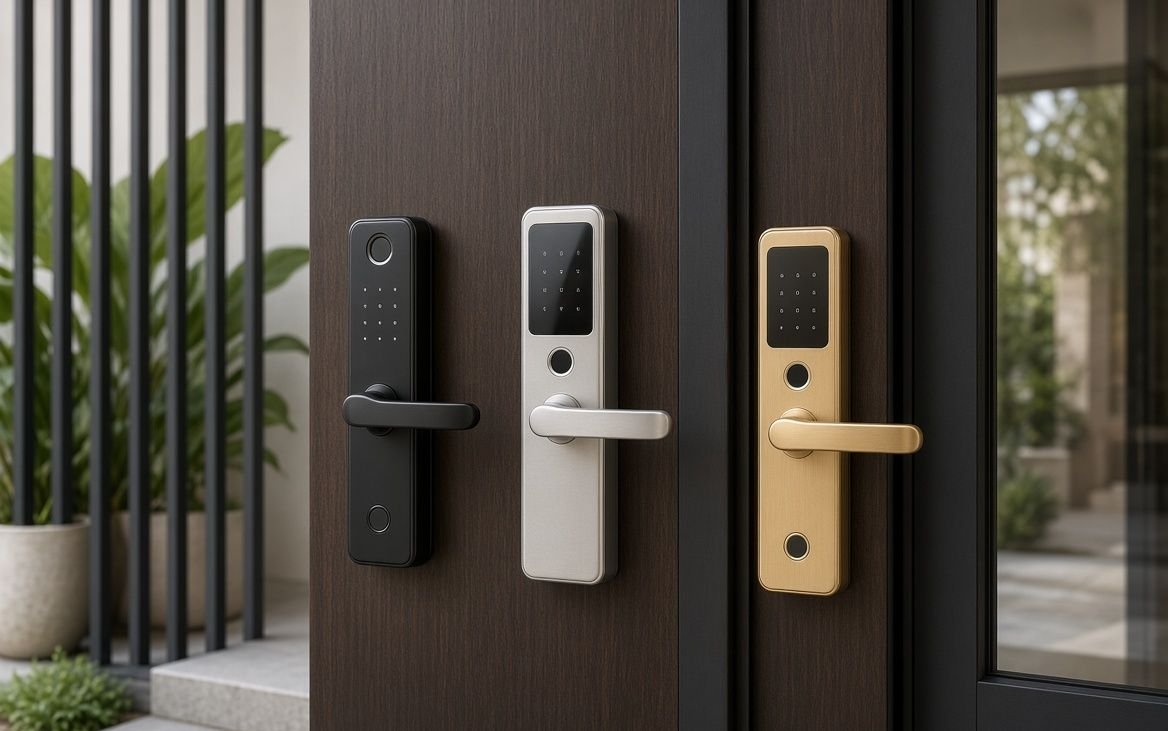
Smart door locks are becoming increasingly popular in modern homes, apartments, offices, hotels, and rental properties. Unlike traditional locks that require a physical key, smart door locks can provide convenient access through methods such as fingerprints, PIN codes, RFID cards, smartphones, mechanical keys, or other supported authentication methods.
If you are planning to upgrade your home security or want a more convenient way to enter and lock your door, choosing the right smart door lock is important. Different models offer different unlocking methods, battery capacities, connectivity options, installation requirements, and security features.
In this guide, we cover the best smart door locks in India, important features to consider, different types of smart locks, installation requirements, security considerations, battery backup, and common mistakes to avoid before buying.
What Is a Smart Door Lock?
A smart door lock is an electronic locking system that replaces or supplements a traditional mechanical lock. Depending on the model, users can unlock the door using a fingerprint, PIN/password, RFID card, smartphone application, Bluetooth, Wi-Fi, or a physical key.
Many smart locks also provide additional features such as:
- Fingerprint unlocking
- PIN/password access
- RFID card access
- Smartphone control
- Temporary passwords
- Guest access
- Auto-locking
- Door-open notifications
- Low-battery alerts
- Emergency power options
- Tamper alerts
- Activity logs
- Multiple-user access
Smart door locks can be particularly useful for families, working professionals, rental properties, offices, and homes where several people need convenient access.
Why Should You Buy a Smart Door Lock?
Traditional locks work well, but smart locks can provide additional convenience and access-control features.
Key Benefits of Smart Door Locks
Keyless entry:
You may not need to carry a physical key every time you leave home.
Fingerprint access:
Compatible models can allow registered users to unlock the door using their fingerprints.
PIN access:
A password or PIN can be useful for family members and guests.
Smartphone access:
Some models allow users to manage the lock through a mobile application.
Temporary access:
Certain smart locks allow temporary PINs or guest access.
Auto-lock:
Some models can automatically lock the door after it closes or after a selected period.
Access records:
Connected smart locks may maintain records of lock activity.
Multiple access methods:
Having several unlocking options provides flexibility if one method is unavailable.
10 Best Smart Door Locks in India
1. Best Smart Door Lock Overall
Key Features:
- Fingerprint unlocking
- PIN/password access
- RFID card support
- Smartphone connectivity
- Auto-lock functionality
- Emergency unlocking option
- Suitable for compatible residential doors
Why Consider This Smart Door Lock?
An overall smart door lock should provide a good balance between security, convenience, durability, and access options. A model with multiple authentication methods can be particularly useful for families because different users can choose their preferred method.
Before purchasing, check whether the lock is compatible with your existing door thickness, lock body, and door design.
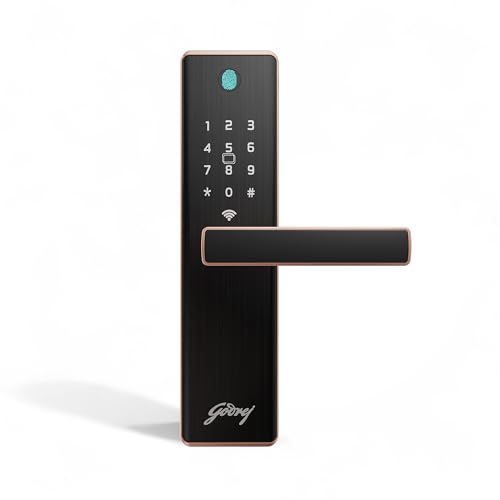
- Smart WiFi Access: WiFi enabled smart digital lock allows users to securely pair the lock with the Godrej mobile app by …
- 5 Convenient Access Modes: Advanced multiple access functionality supports fingerprint access, passcode entry, RFID card…
- Fast Fingerprint Recognition: Integrated biometric fingerprint sensor positioned on the cover plate delivers quick and s…

- 360° Fingerprint sensor – 0.4 sec. unlocking speed || Register upto 50 fingerprints in the lock.
- Bluetooth Mobile APP. – This lock completely operate through mobile application. Add/Del. any user. Download LAVNA Smart…
- DIY Installation : This lock is very easy to install, any normal carpenter can install the lock with the help of our cus…

- 6 WAYS OF UNLOCKING: Fingerprint, PIN, Remote OTP, NFC Card, Atomberg Home App (Data Stored in India) and Mechanical Key…
- REMOTE OTP ACCESS: It allows you to provide access to unexpected guests remotely by sending them a one-time PIN via SMS,…
- PERIODIC ACCESS: Using the Atomberg Home App, you can configure periodic access through periodic pins, periodic fingerpr…
2. Best Budget Smart Door Lock
Key Features:
- Affordable smart locking system
- PIN access
- Fingerprint or RFID support
- Mechanical emergency key
- Low-battery warning
- Easy-to-use interface
- Suitable for home use
Why Consider This Smart Door Lock?
A budget smart door lock is ideal if you want to experience keyless entry without spending too much. Look for essential features such as reliable fingerprint recognition, PIN access, emergency unlocking, and good battery performance.
Avoid selecting a lock based only on the lowest price. Door compatibility and build quality are equally important.
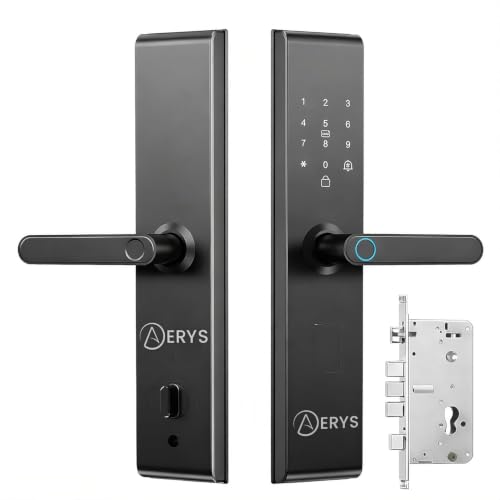
- 📦 Complete Package – Includes 1 Smart Lock, 2 Keys, 2 RFID Cards & all installation accessories. Miniumum 35mm Door thic…
- 🔐 4-in-1 Smart Access – Unlock your door using Fingerprint, RFID Card, PIN, or Physical Key for complete flexibility and…
- 🔋 Long-Lasting AA Battery Power – Operates on 4 AA batteries with up to 1.5 years of battery life (usage dependent). Inc…

- Multiple Ways to Unlock—Keyless keypad, energy-efficient Bluetooth for nearby access, remote Wi-Fi via the Tapo App, v…
- Convenient & Secure Access for All—Manage access effortlessly by creating groups for family, guests, or visitors in th…
- Keyless Tactile Buttons—Skip the hassle of keys with up to 200 customizable codes. Our smart lock features a backlit k…
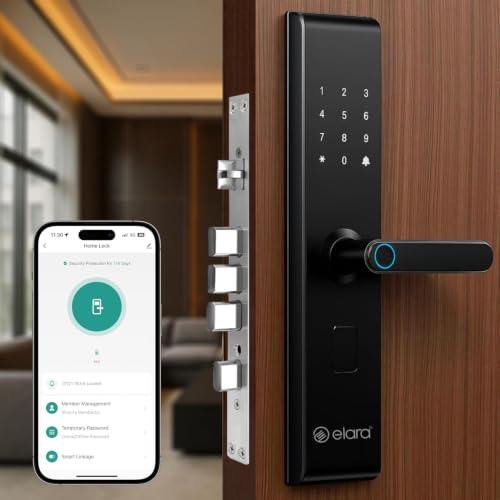
- MULTI-SECURITY ACCESS: Features fingerprint scanner, RFID card reader, and PIN code keypad for versatile entry options w…
- INTELLIGENT ALERTS: Advanced anti-theft system with lock prying alarm, illegal user detection after 5 failed attempts, a…
- POWER SUPPLY: Operates on 4 AA batteries with Type-C emergency power port backup and low battery alert system for uninte…
3. Best Fingerprint Smart Door Lock
Key Features:
- Fingerprint unlocking
- Multiple fingerprint registration
- PIN access
- RFID access
- Auto-lock
- Low-battery alerts
- Emergency power option
Why Consider This Smart Door Lock?
Fingerprint access is one of the most convenient features available in smart door locks. Once fingerprints are registered, users can unlock the door without remembering a password or carrying a key.
Families should look for a model that supports enough fingerprints for all regular users.
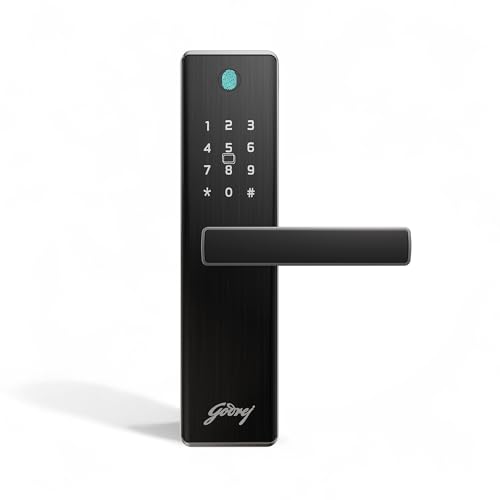
- 4-in-1 Smart Access Options: Unlock your door using Fingerprint, PIN Code, RFID Card, or Mechanical Key, giving you flex…
- Solid Build: 3-bolt lockbody and SS 304 manual bolt ensures strength, durability and long term reliability. Aluminium Al…
- 360° Fingerprint Recognition Sensor: Advanced fingerprint sensor recognizes fingerprints from any angle. Store up to 99 …
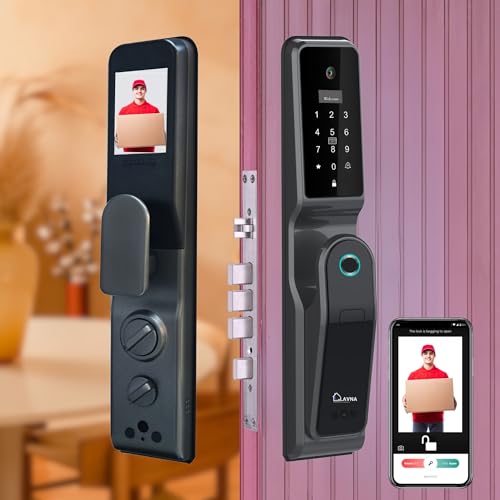
- 𝗙𝗔𝗖𝗘 𝗨𝗡𝗟𝗢𝗖𝗞: Introducing the all new LAVNA LA44 – Face the Power, now equipped with Face Vault access. This smart featur…
- 𝟴 𝗪𝗔𝗬𝗦 𝗧𝗢 𝗨𝗡𝗟𝗢𝗖𝗞: Face Access, Fingerprint unlock, WiFi Remote Unlock, LAVNA App, PIN, OTP, RFID Card and Manual Key. Yo…
- 𝗖𝗔𝗠𝗘𝗥𝗔 + 𝗜𝗡𝗗𝗢𝗢𝗥 𝗗𝗜𝗦𝗣𝗟𝗔𝗬: You can now see the visitor’s image on your mobile app and inside panel screen of the lock as w…
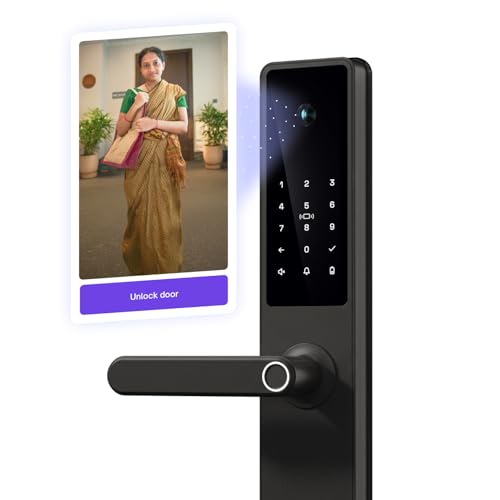
- 𝟳 𝘄𝗮𝘆𝘀 𝘁𝗼 𝘂𝗻𝗹𝗼𝗰𝗸: Fingerprint, UC app, passcode, visitor code, RFID card, physical key — or even get an unlock request w…
- 𝗗𝗼𝗼𝗿𝗯𝗲𝗹𝗹 𝗰𝗼𝗻𝗻𝗲𝗰𝘁 𝗽𝗮𝘁𝗲𝗻𝘁-𝗽𝗲𝗻𝗱𝗶𝗻𝗴 𝘁𝗲𝗰𝗵𝗻𝗼𝗹𝗼𝗴𝘆: Native’s Doorbell Connect technology connects your existing doorbell, camera…
- 𝗬𝗼𝘂’𝗹𝗹 𝗹𝗼𝘃𝗲 𝗱𝗼𝗼𝗿𝗯𝗲𝗹𝗹 𝗰𝗼𝗻𝗻𝗲𝗰𝘁: Busy with the kids? Unlock the door without leaving their side. Walking the dog? Open it s…
4. Best Wi-Fi Smart Door Lock
Key Features:
- Wi-Fi connectivity
- Smartphone app
- Remote lock management
- PIN access
- Fingerprint support
- Activity notifications
- Temporary access management
Why Consider This Smart Door Lock?
Wi-Fi-enabled smart locks can provide additional remote-management features. Depending on the model and application, users may be able to monitor or control the lock from their smartphone.
If remote access is important to you, check whether the lock requires a separate Wi-Fi gateway or hub.
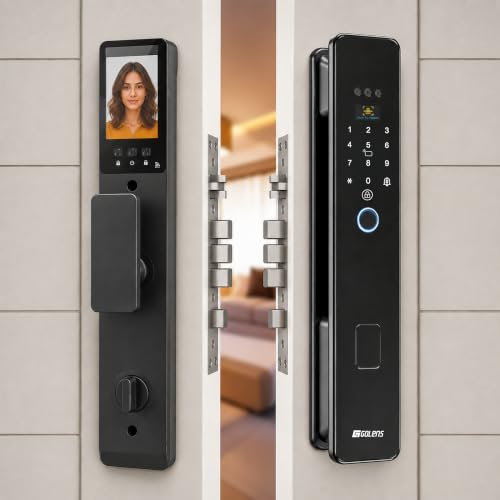
- 𝟖-𝐖𝐚𝐲 𝐒𝐦𝐚𝐫𝐭 𝐔𝐧𝐥𝐨𝐜𝐤𝐢𝐧𝐠 – Unlock your door using Face Recognition, Fingerprint, WiFi Smart App, RFID Card, PIN Password, O…
- 𝐁𝐮𝐢𝐥𝐭-𝐢𝐧 𝐖𝐢𝐅𝐢 𝐒𝐦𝐚𝐫𝐭 𝐂𝐨𝐧𝐭𝐫𝐨𝐥 – Manage your smart door lock anytime using the Smart App with built-in WiFi. Remotely unloc…
- 𝐀𝐝𝐯𝐚𝐧𝐜𝐞𝐝 𝐅𝐚𝐜𝐞 𝐑𝐞𝐜𝐨𝐠𝐧𝐢𝐭𝐢𝐨𝐧 & 𝐅𝐢𝐧𝐠𝐞𝐫𝐩𝐫𝐢𝐧𝐭 𝐒𝐞𝐜𝐮𝐫𝐢𝐭𝐲 – Experience fast and reliable unlocking with advanced Face Recognition…

- 𝟳 𝗪𝗔𝗬𝗦 𝗧𝗢 𝗨𝗡𝗟𝗢𝗖𝗞: You can access this lock via Fingerprint, WiFi Access, PINCodes, OTP, RFID Card, Remote and LAVNA Mobi…
- 𝗪𝗶𝗙𝗶 + 𝗕𝗹𝘂𝗲𝘁𝗼𝗼𝘁𝗵 𝗠𝗼𝗯𝗶𝗹𝗲 𝗔𝗽𝗽 : You can unlock your Door lock from Anywhere, Anytime via your WiFi Mobile app and this loc…
- 𝗙𝗔𝗦𝗧 𝗙𝗜𝗡𝗚𝗘𝗥𝗣𝗥𝗜𝗡𝗧 + 𝗨𝗣 𝗧𝗢 𝟭𝟬𝟬 𝗨𝗦𝗘𝗥𝗦: Unlock quickly with the 360° fingerprint sensor in up to 0.4 seconds. The lock suppo…
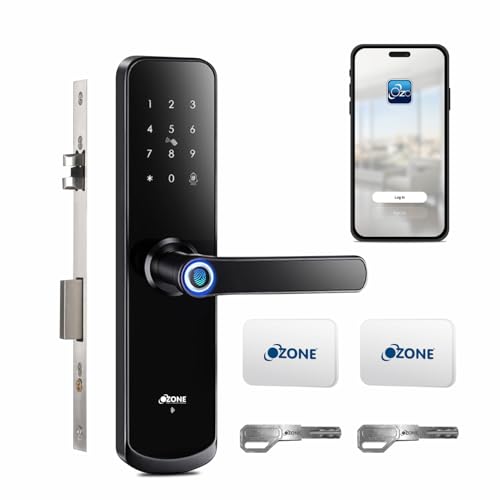
- 𝗥𝗲𝗺𝗼𝘁𝗲 𝗨𝗻𝗹𝗼𝗰𝗸𝗶𝗻𝗴: Unlock your door from anywhere using the OzoLife App.
- 𝗙𝗼𝗿 𝗠𝗮𝗶𝗻 𝗗𝗼𝗼𝗿𝘀: Designed for entrance doors, ensuring smooth entry.
- 𝗠𝗼𝗯𝗶𝗹𝗲 𝗔𝗽𝗽 𝗖𝗼𝗻𝘁𝗿𝗼𝗹: Share and manage access, view access history, and get alerts via the OzoLife App through Wi-Fi.
5. Best Smart Door Lock for Apartments
Key Features:
- Compact design
- Fingerprint access
- PIN access
- RFID support
- Mechanical key backup
- Auto-lock
- Suitable for compatible apartment doors
Why Consider This Smart Door Lock?
Apartment doors can have different lock bodies and installation restrictions. A compact smart lock can be a practical choice where space around the door handle or frame is limited.
Always measure the door and check installation requirements before ordering.
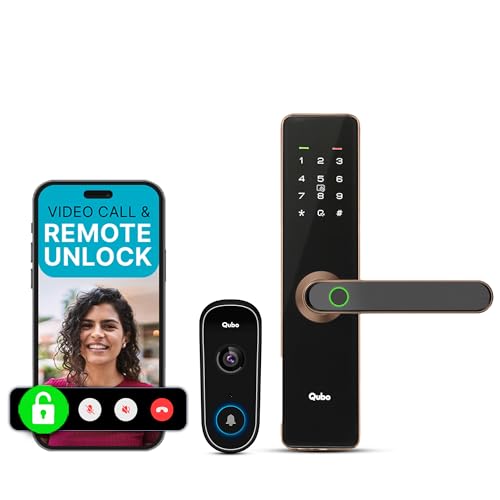
- 【Wireless Smart Entrance Architecture】 Seamless integration between Video Doorbell Pro and Smart Door Lock. No inter-dev…
- 【Instant Video Call Trigger System】 Doorbell press triggers an immediate video call to your smartphone. No delay, no sta…
- 【Live Two-Way Communication + Remote Unlock】 Built-in mic & speaker enable live conversation with visitors. Remote unloc…
- 6 WAYS OF UNLOCKING: Fingerprint, PIN, Remote OTP, NFC Card, Atomberg Home App (Data Stored in India) and Mechanical Key…
- REMOTE OTP ACCESS: It allows you to provide access to unexpected guests remotely by sending them a one-time PIN via SMS,…
- PERIODIC ACCESS: Using the Atomberg Home App, you can configure periodic access through periodic pins, periodic fingerpr…
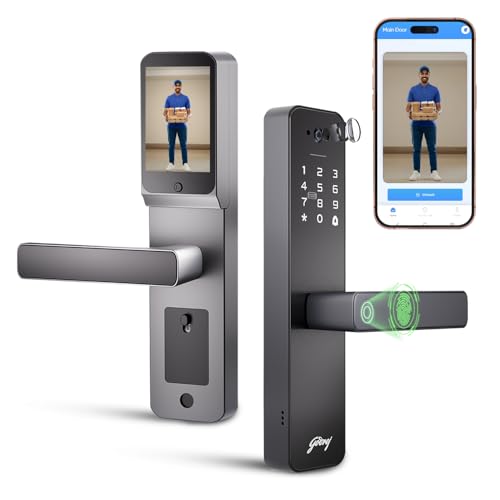
- Pro Camera with Full-Frame Clarity: Neo Pro View’s in-built camera captures a wide-angle view of your doorstep, clearly …
- 3.3-inch Display Screen Behind the Lock: There’s a display screen fitted at the back of the lock that lets you see who’s…
- “Integrated Video Monitoring Screen: Your door just got smarter. With a built-in camera and doorbell, you can see who’s …
6. Best Smart Door Lock for Main Entrance
Key Features:
- Strong locking mechanism
- Fingerprint authentication
- PIN/password access
- RFID cards
- Auto-lock
- Tamper alerts
- Emergency unlocking
Why Consider This Smart Door Lock?
The main entrance is one of the most important places to install a smart lock. A suitable model should combine convenient access with dependable mechanical and electronic locking components.
For an independent house, also consider whether the lock is designed for the type of exterior door you have and whether it offers appropriate weather protection.
- 6 WAYS OF UNLOCKING: Fingerprint, PIN, Remote OTP, NFC Card, Atomberg Home App (Data Stored in India) and Mechanical Key…
- REMOTE OTP ACCESS: It allows you to provide access to unexpected guests remotely by sending them a one-time PIN via SMS,…
- PERIODIC ACCESS: Using the Atomberg Home App, you can configure periodic access through periodic pins, periodic fingerpr…
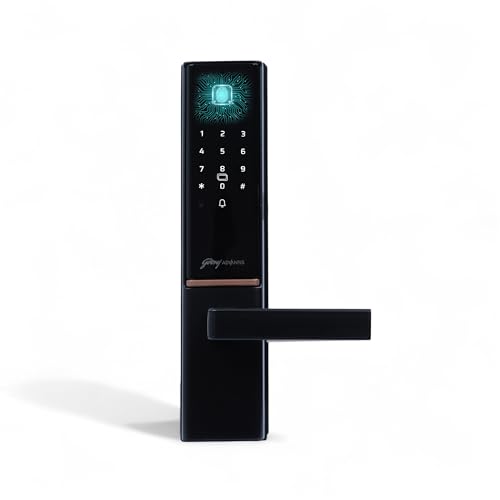
- Premium Finish: Designed with a sleek aluminum alloy plate in a luxurious finish, the matte black Advantis GSL D1 smart …
- High-Capacity Fingerprint Access: This Godrej biometric lock supports up to 100 fingerprints—ensuring quick, touch-based…
- Passcode Personalization: Create up to 100 user-defined 4–12 digit codes for layered access control—perfect for families…
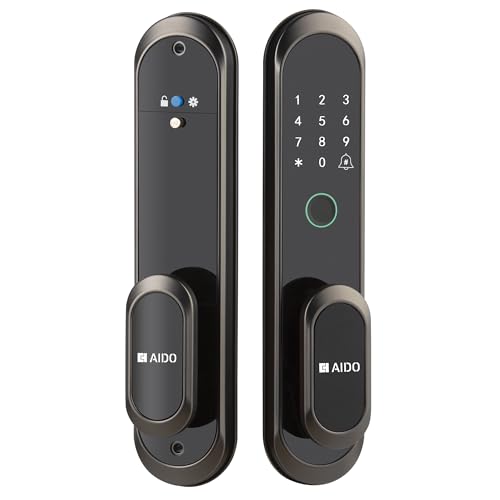
- PUSH-PULL SMART LOCK — No handle. No bulk. Just a sleek, ultra-slim lock that looks as good as it works. Push or pull th…
- FITS WOODEN, METAL & ALUMINIUM DOORS — Suitable for 40mm–120mm thick doors with a compact mortise design, making it idea…
- 6-WAY UNLOCKING SYSTEM — Unlock using biometric fingerprint, PIN, RFID card, key, OTP or the AIDO app. Send OTPs by What…
7. Best Smart Door Lock for Office
Key Features:
- Multiple-user access
- Fingerprint recognition
- PIN access
- RFID cards
- Access management
- Activity records
- Auto-lock
Why Consider This Smart Door Lock?
Smart locks can be useful for offices where multiple employees require controlled access. A model supporting several users and different authentication methods can simplify access management.
For business use, check the manufacturer’s specifications for user capacity, access logs, administrator controls, and software support.
- 4-in-1 Smart Access Options: Unlock your door using Fingerprint, PIN Code, RFID Card, or Mechanical Key, giving you flex…
- Solid Build: 3-bolt lockbody and SS 304 manual bolt ensures strength, durability and long term reliability. Aluminium Al…
- 360° Fingerprint Recognition Sensor: Advanced fingerprint sensor recognizes fingerprints from any angle. Store up to 99 …
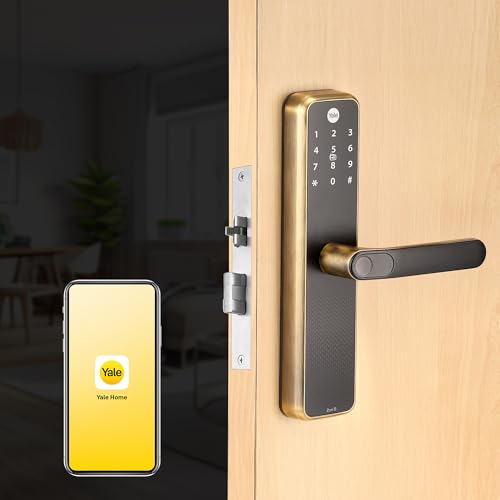
- 360° FINGERPRINT RECOGNITION : Fingerprints once registered, the sensor recognizes up to 100 registered fingerprints at …
- PIN CODE : Register up to 100 unique PINs. Save a password of 4 to 9 digits for enhanced password strength.RFID CARDS : …
- REMOTE ACCESS : The lock can be remotely opened and closed through mobile app, providing convenience of accessing door f…
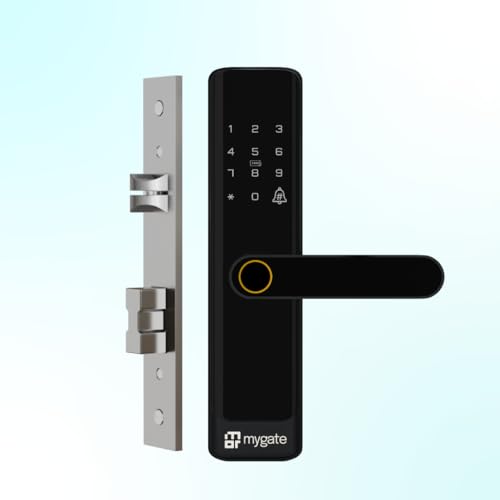
- 𝟲 𝘄𝗮𝘆𝘀 𝘁𝗼 𝘂𝗻𝗹𝗼𝗰𝗸 𝗳𝗼𝗿 𝘂𝗹𝘁𝗶𝗺𝗮𝘁𝗲 𝘀𝗲𝗰𝘂𝗿𝗶𝘁𝘆: Secure your home with six advanced methods, including fingerprint, OTP, PIN, mob…
- 𝗦𝗵𝗮𝗿𝗲 𝗮𝗰𝗰𝗲𝘀𝘀 𝘄𝗶𝘁𝗵 𝗲𝗮𝘀𝗲 𝗮𝗻𝘆𝘄𝗵𝗲𝗿𝗲: Effortlessly share access to your main door locks for home via OTP through WhatsApp, SM…
- 𝗕𝘂𝗶𝗹𝘁 𝘄𝗶𝘁𝗵 𝗽𝗿𝗲𝗺𝗶𝘂𝗺, 𝗱𝘂𝗿𝗮𝗯𝗹𝗲 𝗺𝗮𝘁𝗲𝗿𝗶𝗮𝗹𝘀:This digital lock for home main door is crafted with high-grade stainless steel bo…
8. Best Smart Door Lock with RFID Access
Key Features:
- RFID card access
- Fingerprint unlocking
- PIN access
- Multiple user support
- Auto-lock
- Emergency key
- Low-battery notification
Why Consider This Smart Door Lock?
RFID access can be convenient for family members, offices, hotels, and rental properties. Users can simply use a registered card or tag instead of entering a PIN.
If you are buying an RFID smart lock, check the included cards and supported RFID technology.
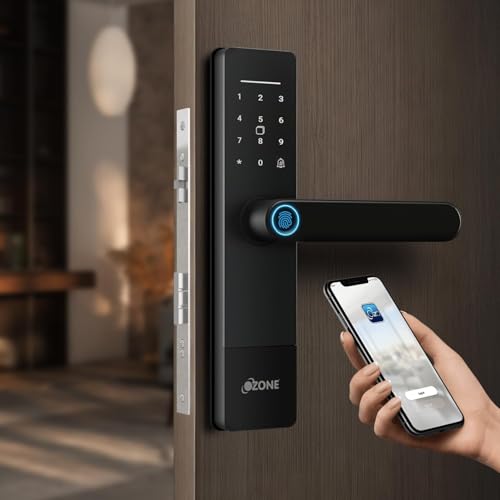
- Remote Unlocking via Mobile App: Unlock and control your door from anywhere using the OzoLife App with Wi-Fi connectivit…
- Designed for Main Doors: Specifically built for entrance and main doors, ensuring smooth operation, strong security, and…
- Multiple Smart Access Options: Supports up to 100 fingerprints, 100 passwords, and 100 RFID cards, making it ideal for f…
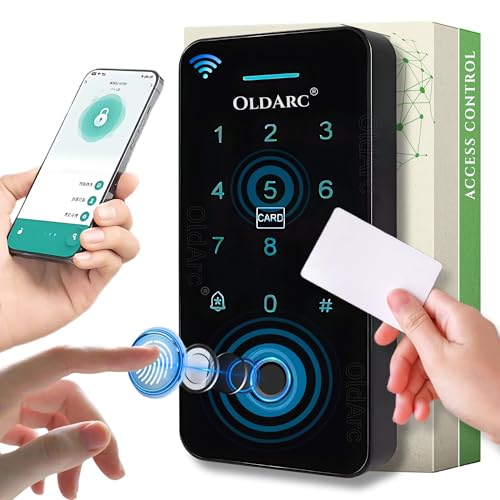
- ✅Smart Biometric Access Control Keypad: Now Convert Any existing 12V DC Electric Lock into a smart keyless Door Entry Un…
- ✅Secure Your Space with O7 Smart Access Control: Prevent unauthorized access to your office, jewelry shop, showroom, cow…
- ✅❗Before Purchase: Mobile App Support 2.4GHz WiFi.❗Not Included: Electric lock, power supply. ❗ Works with all OldArc El…
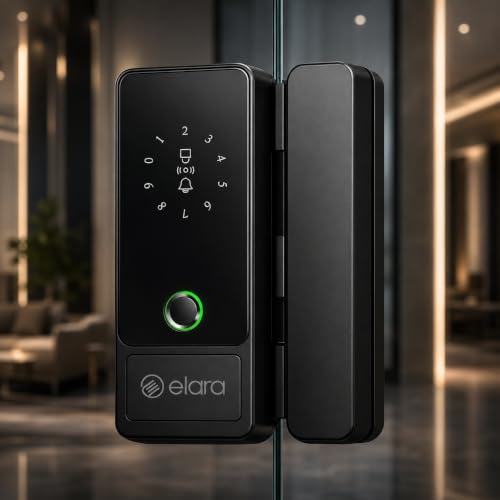
- 20 CUTTING-EDGE TECHNOLOGIES: This smart glass door lock combines 20 advanced hardware and software features, including …
- VERSATILE COMPATIBILITY: Suitable for single and double glass doors, both with and without frames, supporting glass thic…
- MULTIPLE UNLOCKING METHODS: Unlock conveniently via fingerprint recognition (2x faster), temporary password, shared unlo…
9. Best Smart Door Lock for Rental Property
Key Features:
- Temporary PIN support
- Guest access
- Smartphone management
- Fingerprint access
- Access records
- Auto-lock
- Mechanical backup
Why Consider This Smart Door Lock?
Smart locks can make rental-property access easier because owners can provide temporary credentials instead of physically handing over keys.
If the property is rented to different occupants, look for features that allow old access credentials to be removed or changed easily.
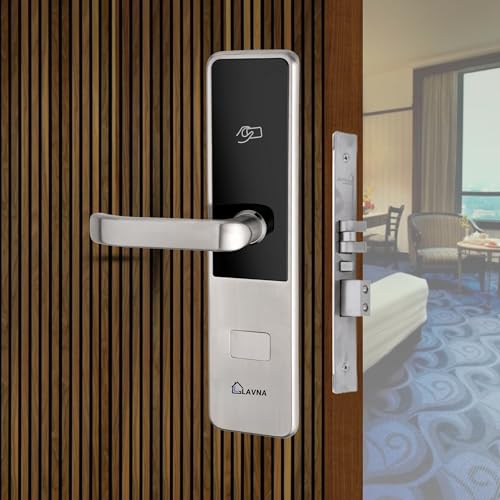
- 3 Access Options: Guests can unlock their rooms using an RFID card, a mobile app, or a traditional manual key.
- Easy UI Hotel Software: Easily manage the lock system through user-friendly hotel software, providing effortless check-i…
- Mobile App Access: Provide your guests with the ability to unlock their room using their own smartphones, enhancing conv…
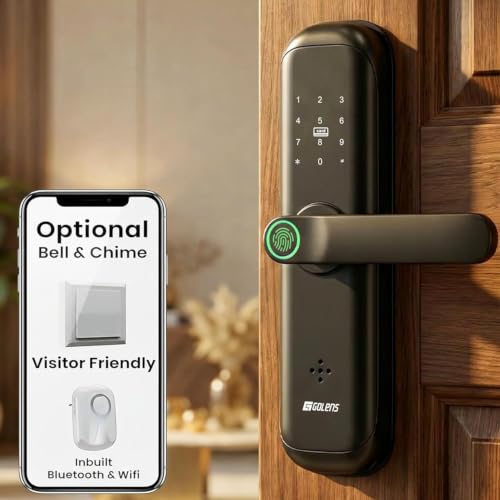
- ✅ 8-in-1 Smart Lock with Keyless Entry :- Secure your home with the Golens X3 Smart Door Lock, offering Fingerprint, PIN…
- ✅ Fast Biometric Fingerprint Recognition :- Advanced fingerprint door lock technology unlocks in under 1 second and stor…
- ✅ WiFi & Bluetooth Smart App Control :- Control your electronic door lock from anywhere using the mobile app. Add or rem…
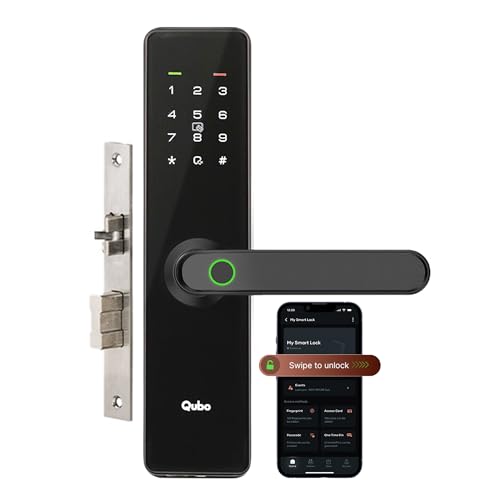
- 【Multiple Ways to Unlock】 Unlock your door via Fingerprint, Passcode, Qubo App (Bluetooth), OTP, RFID Access Card, or Me…
- 【Enhanced Security with Dual Bolts】 Equipped with a high-strength main bolt and a reinforced latch bolt, ensuring depend…
- 【Sleek & Sturdy Design】 Crafted from durable aluminum alloy with a premium matte finish.
10. Best Premium Smart Door Lock
Key Features:
- Premium construction
- Advanced fingerprint recognition
- Smartphone connectivity
- PIN and RFID access
- Multiple-user management
- Auto-lock
- Tamper alerts
- Emergency backup system
Why Consider This Smart Door Lock?
Premium smart locks often combine several access methods with additional connectivity and management features. They may be suitable for users building a modern smart-home security system.
However, expensive does not automatically mean suitable. Always check compatibility with your door before purchasing.
- Smart WiFi Access: WiFi enabled smart digital lock allows users to securely pair the lock with the Godrej mobile app by …
- 5 Convenient Access Modes: Advanced multiple access functionality supports fingerprint access, passcode entry, RFID card…
- Fast Fingerprint Recognition: Integrated biometric fingerprint sensor positioned on the cover plate delivers quick and s…
- 6 WAYS OF UNLOCKING: Fingerprint, PIN, Remote OTP, NFC Card, Atomberg Home App (Data Stored in India) and Mechanical Key…
- REMOTE OTP ACCESS: It allows you to provide access to unexpected guests remotely by sending them a one-time PIN via SMS,…
- PERIODIC ACCESS: Using the Atomberg Home App, you can configure periodic access through periodic pins, periodic fingerpr…
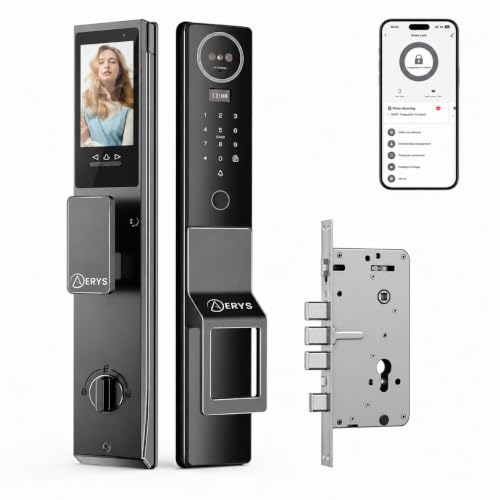
- 📦 Complete Package – Includes Smart Lock, 2 Keys, 2 RFID Cards & installation accessories. 🔋 Long-Lasting Rechargeable B…
- Miniumum 35mm Door thickness required for this type lock. So check your door thickness and then order it.
- 🔓 Multiple Smart Unlock Options – Access your door effortlessly using Face ID, Palm Recognition, Fingerprint, PIN, RFID …
Types of Smart Door Locks
Smart door locks are available in several designs. Understanding the differences can make choosing the right model easier.
1. Fingerprint Smart Door Locks
Fingerprint locks use biometric authentication to identify registered users.
Advantages
- No physical key required
- Easy daily access
- Multiple fingerprints can often be registered
- Convenient for families
Things to Check
- Fingerprint capacity
- Recognition speed
- Sensor type
- Performance with wet or dirty fingers
- Backup unlocking methods
2. PIN or Password Smart Locks
These locks allow users to enter a numerical PIN.
They can be useful for families, offices, and rental properties.
Look for models that support multiple users or temporary passwords if you frequently provide access to guests.
3. RFID Smart Locks
RFID locks use cards, tags, or compatible credentials.
They are particularly useful in offices, hotels, rental properties, and homes where users prefer card-based access.
4. Bluetooth Smart Locks
Bluetooth-enabled locks can communicate with compatible smartphones when the user is nearby.
They may be useful when you want smartphone-based unlocking without necessarily requiring an internet connection.
5. Wi-Fi Smart Locks
Wi-Fi smart locks can provide internet-connected features.
Depending on the product, these may include:
- Remote control
- Smartphone notifications
- Remote access
- Activity monitoring
- Smart-home integration
Some Wi-Fi models require an additional hub or gateway, so check the complete product package.
Smart Door Lock vs Traditional Door Lock
| Feature | Traditional Lock | Smart Door Lock |
|---|---|---|
| Physical key | Usually required | May not be required |
| Fingerprint | No | Some models |
| PIN access | No | Some models |
| RFID | No | Some models |
| Smartphone control | No | Some models |
| Auto-lock | Usually no | Often available |
| Access management | Limited | Available on selected models |
| Battery required | Usually no | Usually yes |
| Emergency backup | Physical key | Depends on model |
Smart locks provide more technology and convenience, while traditional locks are generally simpler and do not depend on batteries or electronic components.
Important Smart Door Lock Features to Check
Fingerprint Capacity
If your family has several members, choose a model that supports enough fingerprints.
PIN Capacity
Multiple PINs can be useful when different family members, employees, or guests require access.
RFID Support
RFID cards can provide another convenient unlocking method.
Smartphone App
If app control matters to you, check the supported mobile operating system and app features.
Wi-Fi Connectivity
Wi-Fi can enable remote features, but verify whether a separate hub is required.
Bluetooth Connectivity
Bluetooth can provide convenient nearby smartphone access.
Auto-Lock
Auto-lock can help prevent accidentally leaving the door unlocked.
Low-Battery Warning
A low-battery alert gives you time to replace or recharge the batteries.
Emergency Power
Some smart locks offer an external emergency power connection.
Mechanical Key Backup
A physical key can be useful if the electronic system becomes unavailable.
Tamper Alerts
Selected models can alert users when suspicious attempts or tampering are detected.
Smart Door Lock Battery Life
Most smart door locks require batteries to operate their electronic functions.
Battery life depends on factors such as:
- Number of daily unlocks
- Battery type
- Fingerprint usage
- Wi-Fi connectivity
- Bluetooth usage
- Temperature
- Lock motor
- Product design
Do not wait until the battery completely dies. Replace or recharge it when the low-battery warning appears.
If you travel frequently, a model with an emergency power option can provide additional convenience.
Are Smart Door Locks Safe?
A smart door lock should be considered as one part of an overall home-security system.
Before buying, consider:
- Mechanical lock strength
- Electronic authentication
- App security
- Firmware/software updates
- Emergency unlocking
- Battery backup
- Installation quality
- Door and frame strength
- Manufacturer support
A smart lock cannot compensate for a weak door, damaged frame, or poor installation.
Smart Door Locks for Different Users
For Families
Choose a lock supporting multiple fingerprints, PINs, or RFID cards.
For Working Professionals
Smartphone access and automatic locking can make daily entry more convenient.
For Elderly Family Members
Fingerprint or RFID access may be easier than remembering complex passwords.
For Rental Properties
Temporary PINs and user management can be particularly useful.
For Offices
Look for multi-user support and access-management features.
For Hotels and Guest Properties
Temporary access credentials and activity management may be useful.
Smart Door Lock Installation Guide
Before purchasing, measure your existing door carefully.
Check:
- Door thickness
- Door material
- Existing lock type
- Lock-body dimensions
- Handle position
- Door opening direction
- Available space
- Door frame clearance
- Power/battery requirements
- Installation requirements
Some smart locks can replace existing lock components, while others require more extensive installation.
If you are unsure about compatibility, professional installation can help avoid damage to the door or locking mechanism.
Smart Door Locks for Wooden Doors
Many smart locks are designed for wooden doors, but compatibility varies.
Check:
- Door thickness
- Existing cutout
- Lock-body dimensions
- Door frame clearance
- Installation method
Do not assume that every smart lock will fit every wooden door.
Smart Door Locks for Metal Doors
Metal doors may require different installation considerations.
Before buying, verify the manufacturer’s compatibility information for metal doors and the existing locking mechanism.
Smart Door Lock Privacy and Security
Connected smart locks can process sensitive access information, so digital security should also be considered.
Before purchasing a connected model:
- Use a strong account password.
- Enable two-factor authentication if supported.
- Keep the lock’s firmware updated.
- Use a secure home Wi-Fi network.
- Avoid sharing administrator credentials.
- Remove old users when they no longer need access.
- Review app permissions.
- Check the manufacturer’s privacy policy.
How to Choose the Best Smart Door Lock
Follow these steps before buying.
Step 1: Check Your Door
Measure the door and identify your current locking mechanism.
Step 2: Decide Your Preferred Unlocking Method
Choose between:
- Fingerprint
- PIN
- RFID
- Smartphone
- Bluetooth
- Wi-Fi
- Physical key backup
Step 3: Consider Your Number of Users
Families and offices may need higher user capacity.
Step 4: Check Battery Requirements
Look at battery type, expected battery life, and low-battery alerts.
Step 5: Consider Connectivity
If remote control is important, consider Wi-Fi. If you only need nearby smartphone access, Bluetooth may be sufficient.
Step 6: Check Emergency Access
Make sure you understand what happens if the battery dies.
Step 7: Check Installation
Confirm that the product fits your door before ordering.
Step 8: Compare Reviews
Read recent customer reviews and pay attention to comments about installation, battery life, app reliability, fingerprint recognition, and long-term usage.
Smart Door Lock Buying Checklist
Before clicking the Buy Now button, check:
- Compatible door thickness
- Correct lock-body size
- Fingerprint support
- PIN support
- RFID support
- Smartphone app
- Bluetooth/Wi-Fi requirements
- Battery type
- Battery backup
- Low-battery alert
- Emergency unlocking
- Mechanical key backup
- Auto-lock
- Tamper alert
- User capacity
- Manufacturer warranty
- Installation support
- Customer reviews
Common Mistakes When Buying a Smart Door Lock
Choosing Only by Price
The cheapest lock may not have the features or compatibility you need.
Ignoring Door Compatibility
This is one of the most important things to check.
Forgetting About Battery Backup
Electronic locks need a reliable backup plan when batteries become depleted.
Buying Wi-Fi Models Without Checking Hub Requirements
Some products require an additional gateway for internet connectivity.
Ignoring Mechanical Security
Electronic features are only one part of the lock.
Not Checking Warranty
Smart locks contain electronic components, so warranty and service support are worth considering.
Sharing Administrator Access
Avoid giving administrator credentials to people who do not need them.
Smart Door Lock Maintenance Tips
Regular maintenance can help your lock work reliably.
Keep the Lock Clean
Clean the fingerprint sensor and exterior surface according to the manufacturer’s instructions.
Check Batteries
Replace or recharge batteries when the low-battery warning appears.
Keep Software Updated
If the lock has a mobile application or firmware updates, install official updates when available.
Check Screws and Mounting
Periodically check that the lock remains securely mounted.
Protect Outdoor Locks
If the lock is exposed to rain, sunlight, dust, or humidity, verify that it has the appropriate environmental protection rating.
Frequently Asked Questions
Are smart door locks better than normal locks?
Smart locks offer additional convenience and access-management features, while traditional locks are simpler and generally do not depend on batteries. The right option depends on your requirements.
Can a smart door lock work without Wi-Fi?
Many smart locks can operate without Wi-Fi using fingerprint, PIN, RFID, Bluetooth, or physical keys. However, specific features depend on the model.
What happens if the smart lock battery dies?
Depending on the model, you may be able to use a physical key, emergency power connection, or another backup method. Always check this before purchasing.
Can multiple people use one smart door lock?
Yes. Many smart locks support multiple fingerprints, PINs, RFID cards, or app users. The maximum number varies by model.
Can smart door locks be hacked?
Connected electronic devices can have cybersecurity risks. Choose products from established manufacturers, use strong account security, keep firmware updated, and use secure networks.
Are smart locks suitable for apartments?
Yes, provided the lock is compatible with the apartment’s door and existing locking mechanism.
Can smart locks be used outdoors?
Some models are designed for exterior doors, while others are intended for indoor use. Check the manufacturer’s weather-resistance specifications before installing one outdoors.
Do smart locks require professional installation?
Not always. Some models are designed for relatively simple installation, while others require more extensive modification. Professional installation can be useful when compatibility or door modification is complicated.
Can I still use a key with a smart door lock?
Many models provide a mechanical key backup, but not all do. Check the specifications before purchasing.
How long do smart lock batteries last?
Battery life varies considerably depending on the model, battery type, connectivity, and frequency of use. Always check the manufacturer’s stated battery-life information.
Final Thoughts
A smart door lock can add convenience, flexible access, and additional access-management features to a home or workplace. Fingerprint access, PIN entry, RFID cards, smartphone control, auto-locking, and temporary access can make everyday door access easier.
However, the best smart door lock for your home depends on your door type, preferred unlocking method, number of users, connectivity requirements, battery backup, security features, and budget.
Before buying, always verify door compatibility and installation requirements. Also consider emergency access, warranty, manufacturer support, and long-term reliability rather than choosing a product based solely on its price or the number of features.
Affiliate Disclosure
This article may contain affiliate links. If you purchase a product through one of the links on this page, we may earn a commission at no additional cost to you. Product availability, prices, ratings, specifications, and offers can change over time. Please verify the latest information on the retailer’s website before purchasing.